


Operations6 min read
Stor-Mor
See how Stor-Mor successfully scaled from manually tracking leads on spreadsheets to managing over 300 dealers.


Picture this: A beautiful 10x16 side lofted barn just rolled onto your lot. The craftsmanship is perfect, the paint is gleaming, and you know this building would be perfect for at least a dozen customers who've been shopping around. But here's the catch - if your online listing looks like it was slapped together in two minutes (we've all been there), those customers might never even know it exists.
The good news? Creating listings that grab attention and drive sales isn't rocket science. With the right approach and a few key tools, you can turn those basic listings into customer magnets. In this guide, we'll show you exactly how to create listings that do your inventory justice and bring more buyers to your lot.
When a customer is scrolling through dozens of sheds online, your title needs to stop their thumb and grab their attention. A basic title like "Storage Shed" tells them nothing useful. Instead, create titles that immediately convey value and practical information. For example, "The Storage Solution: 10x6 Side Lofted Barn" tells customers the size, style, and purpose all at once.
A great title should include:
Your description needs to grab attention immediately and then guide customers through the benefits of your building. Why? Because most online shoppers make a split-second decision to stay or scroll past. You've got maybe 3-5 seconds to convince them your shed is worth their time - and honestly, even that's being generous. In the age of endless scrolling and instant gratification, you're really competing for fractions of a second to catch someone's eye.
Start With a Direct, Benefit-Focused Opening
Instead of diving straight into features, tell customers how the building will improve their life. But watch out - there's a fine line between being descriptive and falling into marketing speak. Here's what we mean:
❌ Too basic: "This is a 10x6 lofted barn"
❌ Marketing fluff: "Experience the ultimate storage solution with our 10x6 lofted barn"
✅ Just right: "Double your storage space with this 10x16 lofted barn - keep your tools below, seasonal items above"
The winning version works better because it:
Format for Maximum Impact
Instead of writing your descriptions like a novel, format them for how people actually read online. Here's why:
Think about how you read things online - you scan headings and jump to bold text. Your customers do exactly the same thing. Good formatting isn't just about looking pretty - it's about making your description scannable in those crucial first moments.
Build on that strong opening with equally specific details:
Example Description Structure:
"Double your storage space with this 10x6 lofted barn
Two distinct storage areas in one building
Quick Tip: Using AI to Jump-Start Your Descriptions
Tools like ChatGPT can give you a solid starting point for descriptions. Make your AI-generated content more effective by:
Remember - nobody knows your sheds better than you do, so always review and enhance AI-generated content with your expertise.
You wouldn't buy a shed without seeing it first - and neither will your online customers. Photos are often the first (and sometimes only) thing shoppers look at.
And take into account how potential buyers will see your Sheds online. Most Ecomm listings use square images (more mobile friendly), so it’s REALLY important to shoot images of your sheds with plenty of space around your shed so it doesn’t feel cramped and crop poorly for your buyers.
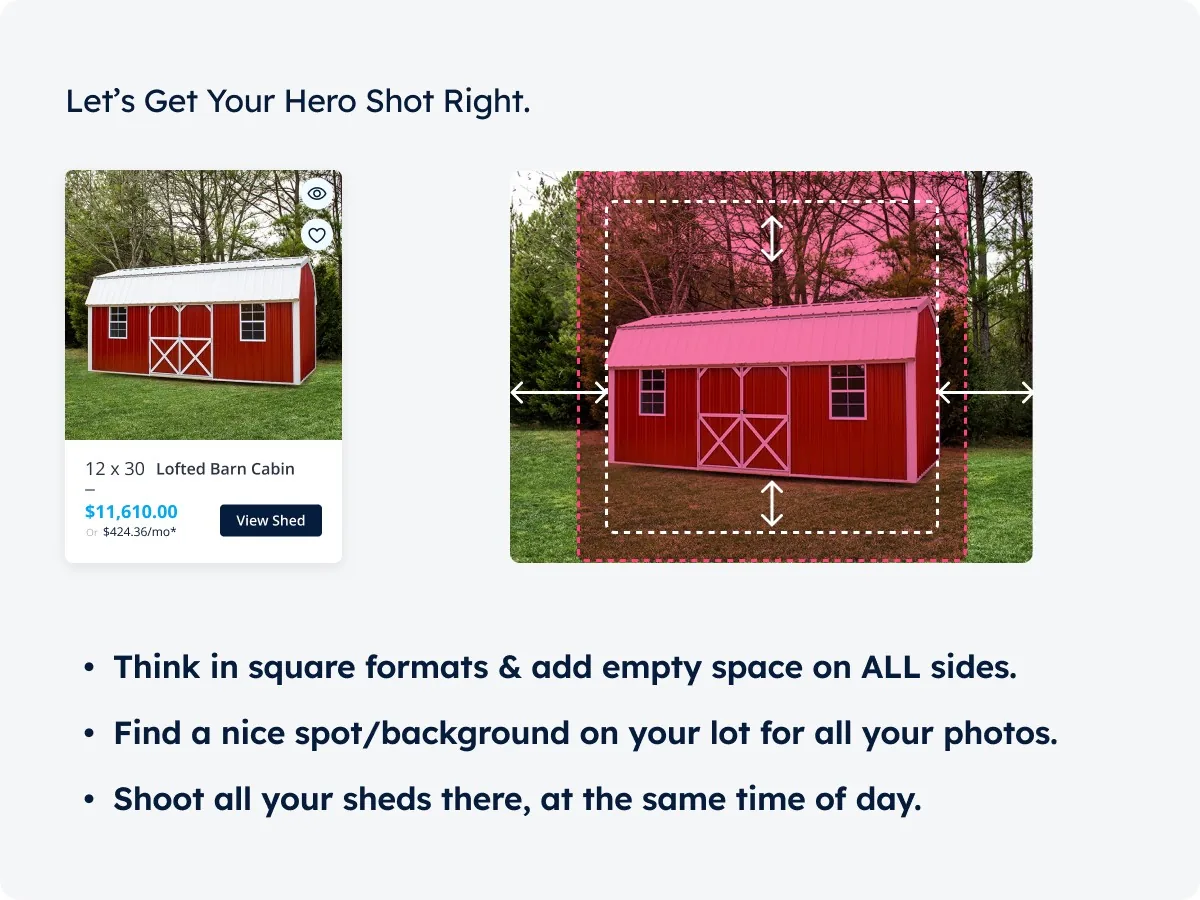
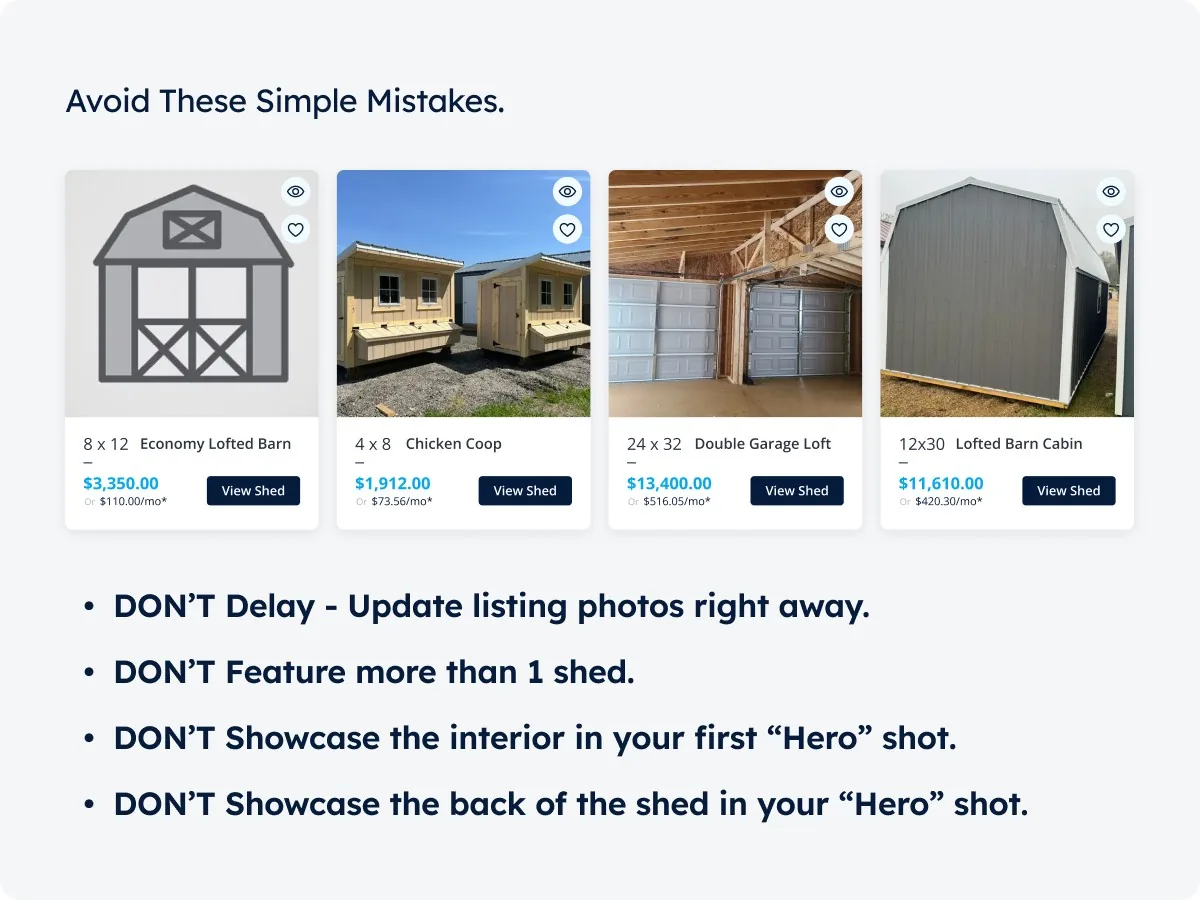
The minimum photo checklist for every building:
Remember: Customers buy what they can see. Poor photos or not enough of them can kill a sale before it starts.
Shed Suite gives your team the leads, follow-up, and order pipeline this article describes — all in one place, trusted by 2,800+ shed businesses.
Book a DemoGetting someone to look at your listing is only half the battle - you need to make it easy for them to take the next step.
Transform browsers into buyers by making it easy for them to take action:
Your Shed Suite e-commerce listing already includes "Add to Cart" and "Wishlist" buttons prominently displayed - take advantage of these by ensuring your description guides customers toward using them.
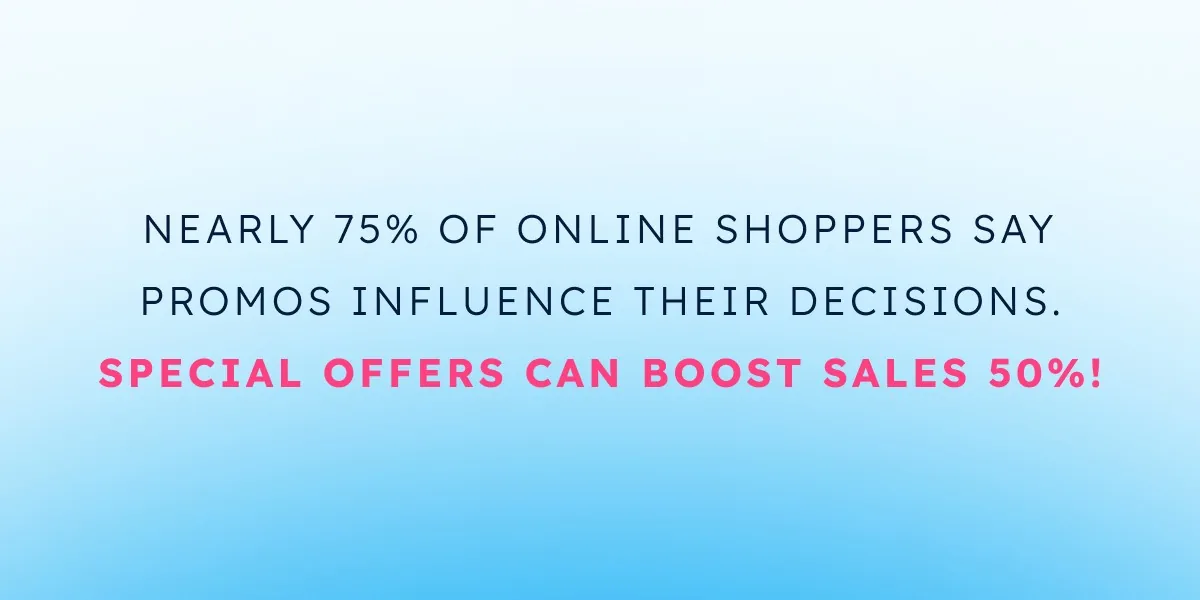
Nearly 3 out of 4 online shoppers say promotions influence their purchase decisions, and displaying a special offer can boost sales by up to 50%. When customers see a deal right away, it creates urgency and helps them justify buying now instead of later.
Make special offers stand out:
Promotional best practices:
Pro Tip: Shed Suite users can generate building inserts with one click - complete with your dealership logo, building details, and a QR code linking directly to your online listing. Why drive lot visitors to your website? Because online listings give customers everything they need to make a decision: detailed specs, multiple photos, pricing options, and easy ways to save or share the building with family. Many customers prefer to research and make decisions on their own terms, without feeling pressure from a sales conversation. Having a robust online listing lets these self-directed buyers convince themselves - and even after they leave your lot, they'll have a direct link back to the exact building they liked.
Your e-commerce listing is just the beginning. With tools like Canva, you can easily turn that listing into content that catches eyes across all your social channels. Best part? You've already done the hard work of writing descriptions and taking photos.
Turn one listing into multiple marketing opportunities:
Pro Tip: Don't just post the listing - tell a story. Is this perfect for a home workshop? Great for garden tool storage? Help followers envision how they could use the building.
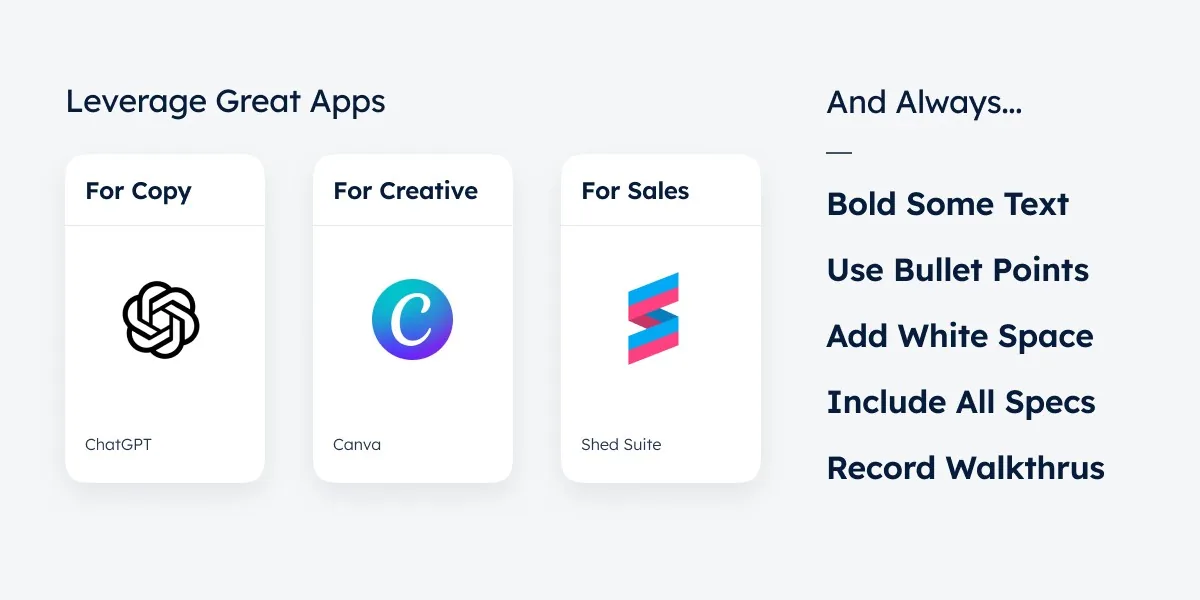
Great listings aren't about marketing buzzwords or fancy tricks - they're about showing customers exactly how your building will solve their storage needs. Start with attention-grabbing titles that highlight real benefits, write descriptions that help customers envision using the space, capture photos that tell the whole story, and make it easy for both lot visitors and online browsers to take action. Remember: you've got just seconds to catch someone's attention, but a well-crafted listing can turn that quick glance into a sale.
Casey Wiggins ran a lot before he ran a shed factory. His playbook for turning a dealer from first contact into a partner who stays, and keeping them busy.
What a customer really costs, what a healthy return on ad spend looks like, where budget leaks, and how to show up when buyers ask AI instead of Google.
A $40M custom home builder on why he wins as the highest bid, and how shed dealers can sell their best models without cutting the price.
See how real shed businesses scale and simplify with Shed Suite.
See how Stor-Mor successfully scaled from manually tracking leads on spreadsheets to managing over 300 dealers.
See how Backyard unified their e-commerce sales, inventory, and delivery teams using Shed Suite's all-in-one platform.

See how Legacy successfully automated sales, simplified inventory management, and improved delivery tracking to scale seamlessly.
See how Westwood Sheds replaced spreadsheets and PDF order forms with Shed Suite, then grew to 11 sales locations across two states.
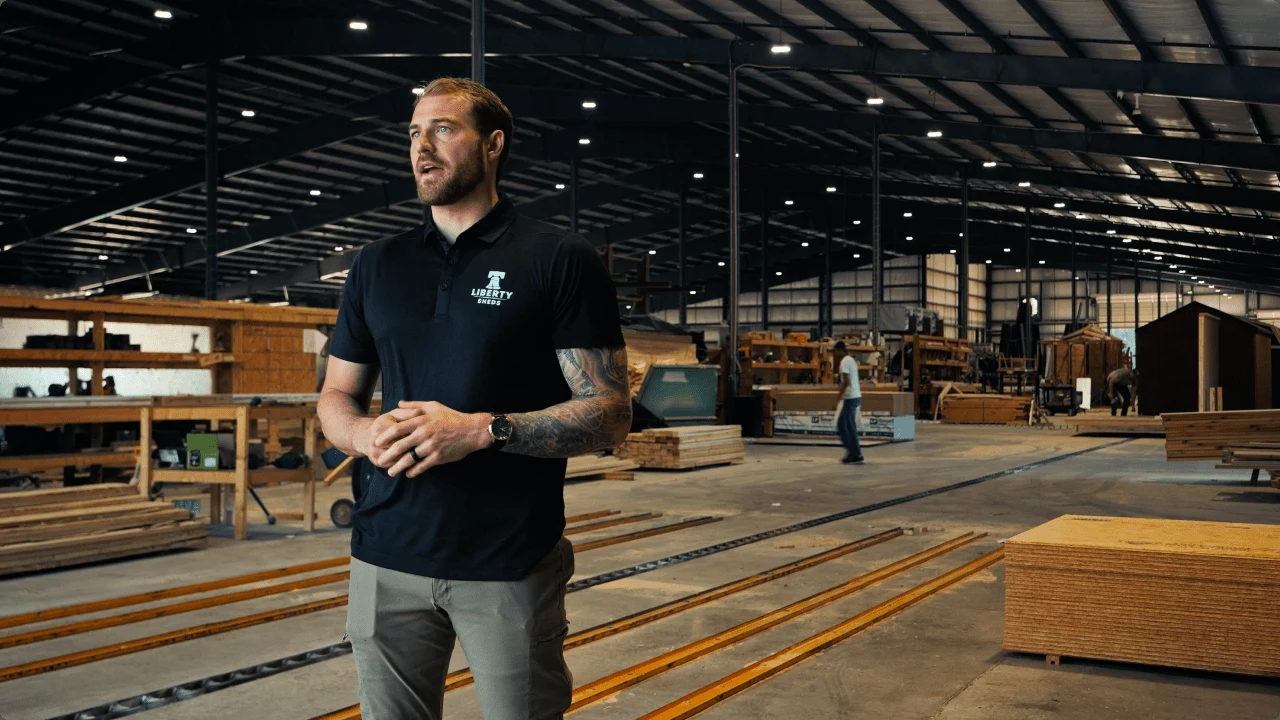
See how Liberty Sheds put sales, production, customer success, and dispatch on one system. Now they close sales remotely and reconcile inventory by running a report.
Shed Suite clients see an average growth of 81% in their first year.
See how we do it — book a 30-minute demo.
Average sales growth across all Shed Suite clients, the 12 months before vs. after joining Shed Suite. As of 2026.
“We come from the shed industry and built this for y’all. We’d love to show you what we do, how it works, and how it’ll make every team member’s life so much easier and smoother.”

Jason Graber
Shed Suite Founder