

Operations6 min read
Stor-Mor
See how Stor-Mor successfully scaled from manually tracking leads on spreadsheets to managing over 300 dealers.


Let's face it – customers buy with their eyes first. In the shed business, great photos can make all the difference between a quick sale and a building that sits on your lot for months. Your online listings are often the first (and sometimes only) chance to grab a customer's attention before they decide to visit your dealership.
We've pulled together some practical advice from Chad McMiller, a creative director who's not only worked with shed dealers, but with us at Shed Suite, to help you take better photos – even if you're just using your phone.
This guide was distilled from a live webinar between Chad and Jason Graber, Shed Suite’s CEO. To watch the entire live webinar, click here.
Your Smartphone Is Probably Good Enough
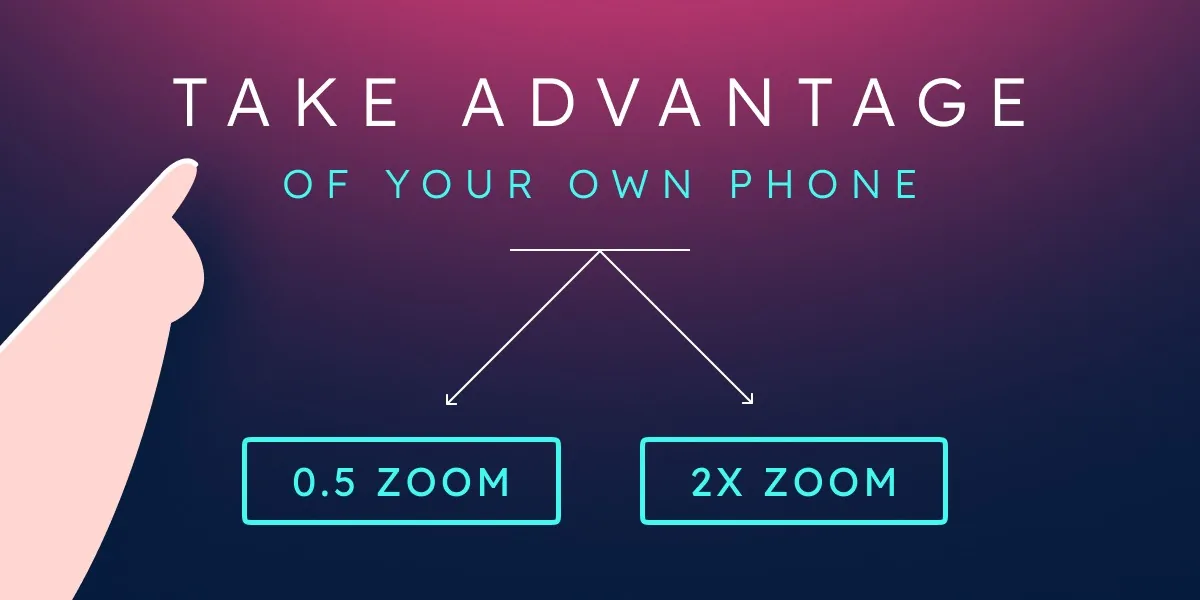
Good news! That phone in your pocket is likely all you need to take solid shed photos. Today's smartphones take amazing pictures when used right.
As Chad puts it: "I'm still blown away at what iPhone and Android can do nowadays. So just because you only have a phone doesn't mean you can't be a really good photographer."
Know Your Phone's Camera Settings
Most newer phones give you a few different zoom options:

Stick with the normal 1x view for most shots and only deviate for special cases like full interior or zoom shots.
Quick Camera Tips
Your phone has different shooting modes that come in handy:
For your listings, take most pictures horizontally (landscape). But grab a few vertical shots too – they work better for Instagram and other social media.
One of the handiest tricks: tap different parts of your screen to adjust brightness. "If it's super bright outside and you want to half-expose your images for the sky and make sure it's not blown out, tap on the sky but make sure you're backing up and capturing the shed as well," says Chad.
When we say "blown out," we mean areas that are so bright they lose all detail and just look pure white. "Exposure" is simply how bright or dark your photo is. Getting the right exposure means making sure you can see details in both the bright parts and dark parts of your photo.
Timing Matters
When you shoot can matter as much as how you shoot:

"Cloudy weather is honestly perfect for photos," Chad explains. "It just acts as a big diffusion for your light so everything's kind of even."
Think Like a Customer Tour
Imagine walking a customer through your lot:
"It's like you're taking these photos in order of how you would show it to a customer," notes Chad.
Watch Your Backgrounds
Keep an eye on what's behind and around your shed:
Also important: keep your phone level! Crooked horizon lines make photos look amateur. "The more level you can keep that, the easier it is later on," advises Chad.
Interior shots can seal the deal – they show customers the space they're buying.
Clean Up First
Before you start shooting inside:
Get the Whole Space
This is where that wide-angle (0.5x) setting on your phone really shines. "If you get back in the middle of a shed, you'll be able to see from top to bottom to sides, and that's a great photo for your listing," says Chad. "It's like seeing it through the customer's eyes when they walk in."
Take shots from multiple spots:
For bigger buildings like cabin shells, get separate shots of different areas.
Dealing with Window Glare
Windows can be tricky – they're often too bright compared to the interior. Try:
Don't Skip This Part!
Having a system from day one will save you major headaches:
"I would name the folder in my Google Drive the serial number of the shed," Jason explains. "So it would be 'lofted barn 1016 or whatever serial number you have,' as a subfolder of my lofted barns."
A simple structure might be:
Using Google Drive means you can access your photos from your phone or computer, and easily share them with your team.
Shed Suite gives your team the leads, follow-up, and order pipeline this article describes — all in one place, trusted by 2,800+ shed businesses.
Book a DemoWhy Editing Helps
A little editing can take your photos from "meh" to "WOW" by:
"I challenge you to try hiring an editor," says Chad. "Send them what you would have uploaded and then look at the difference of what an actual editor is going to do to your listing."
Affordable Editing Options
Hiring a photo editor doesn’t need to break the bank:
"You can hire people on Fiverr that are specialists in real estate and product photography editing," Chad points out. "And you can even get them lower than a dollar a photo."
Be strategic: "You've got a $3,000 utility shed that a person just probably wants to put a mower in, and then you've got a $15,000 cabin shell," Jason notes. "You don't have to do these edits for a $3,000 utility shed... but a little investment in editing photos for a $15,000 listing makes a lot more sense."
Photo Order Matters

The sequence of your photos can make a big difference:
"Start strong with your hero shot... and then group in logical order so you're going around the shed," advises Chad.
How Many Photos?
Jason recommends, "Six minimum. What I always say is you need all four corners and you need two on the inside each end looking both ways. So that's six minimum. And I mean that's just bare minimum."
A better listing would include:
Adding a Quick Video
A simple walkthrough video can really help sell a shed: "The Shed Suite e-commerce storefront supports YouTube videos," Jason explains. "So if you take that video, upload it to YouTube, you can put that URL in your e-com store and now you've got a video right on your storefront."
Even a 30-second clip walking around and through the shed gives customers a much better feel for the space.
Different Platforms, Different Needs
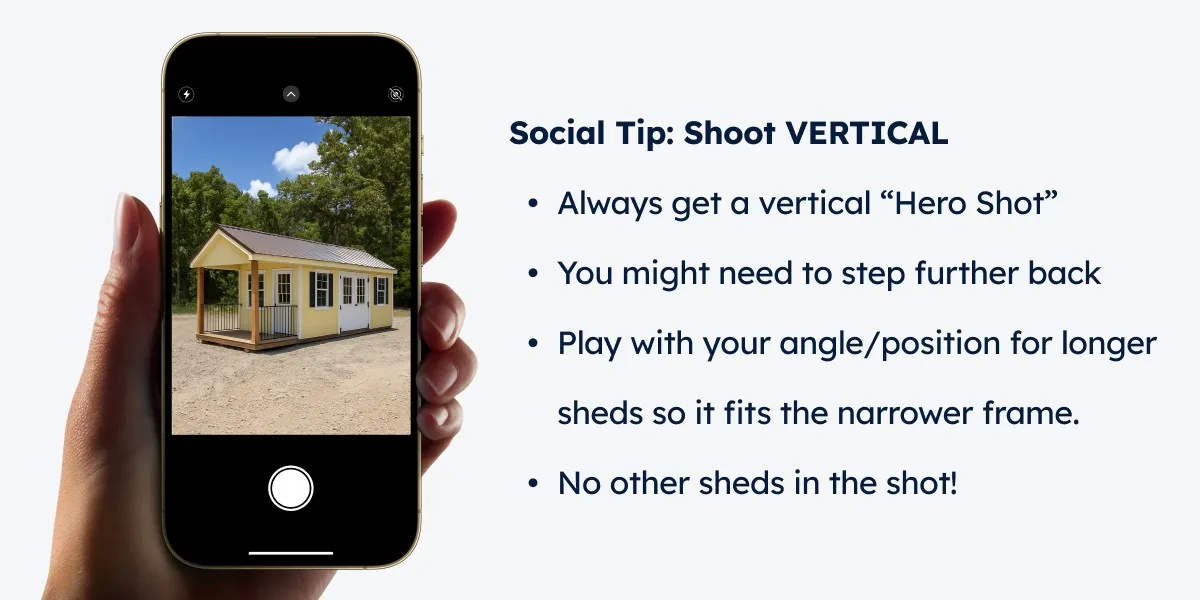
Each platform likes different formats:
"Instagram's recent update changed how photos display," Chad points out. "I definitely recommend shooting a portrait shot or two just for social media."
Simple Video Content

You don't need to be a filmmaker to create decent videos:
"Videos get seen way more on social media when you're posting a reel, not just a static photo," Chad advises.
In fact, not only are videos more visible on social media, customers engage with them at a much higher rate. On Facebook alone, users spend 50% of their time watching videos.
Run through these quick checks before grabbing your phone:
Better photos mean more customer interest and faster sales – it's that simple. With today's smartphone technology, a bit of practice, and maybe a small investment in editing, any shed dealer can create listings that stand out.
The more you practice, the better you'll get, and soon taking great shed photos will become second nature.
Remember: customers are scrolling through dozens of listings. Make yours the one that makes them stop and say, "I need to check this out in person!"
Casey Wiggins ran a lot before he ran a shed factory. His playbook for turning a dealer from first contact into a partner who stays, and keeping them busy.
What a customer really costs, what a healthy return on ad spend looks like, where budget leaks, and how to show up when buyers ask AI instead of Google.
A $40M custom home builder on why he wins as the highest bid, and how shed dealers can sell their best models without cutting the price.
See how real shed businesses scale and simplify with Shed Suite.
See how Stor-Mor successfully scaled from manually tracking leads on spreadsheets to managing over 300 dealers.
See how Backyard unified their e-commerce sales, inventory, and delivery teams using Shed Suite's all-in-one platform.
See how Legacy successfully automated sales, simplified inventory management, and improved delivery tracking to scale seamlessly.
See how Westwood Sheds replaced spreadsheets and PDF order forms with Shed Suite, then grew to 11 sales locations across two states.
See how Liberty Sheds put sales, production, customer success, and dispatch on one system. Now they close sales remotely and reconcile inventory by running a report.
Shed Suite clients see an average growth of 81% in their first year.
See how we do it — book a 30-minute demo.
Average sales growth across all Shed Suite clients, the 12 months before vs. after joining Shed Suite. As of 2026.
“We come from the shed industry and built this for y’all. We’d love to show you what we do, how it works, and how it’ll make every team member’s life so much easier and smoother.”

Jason Graber
Shed Suite Founder